

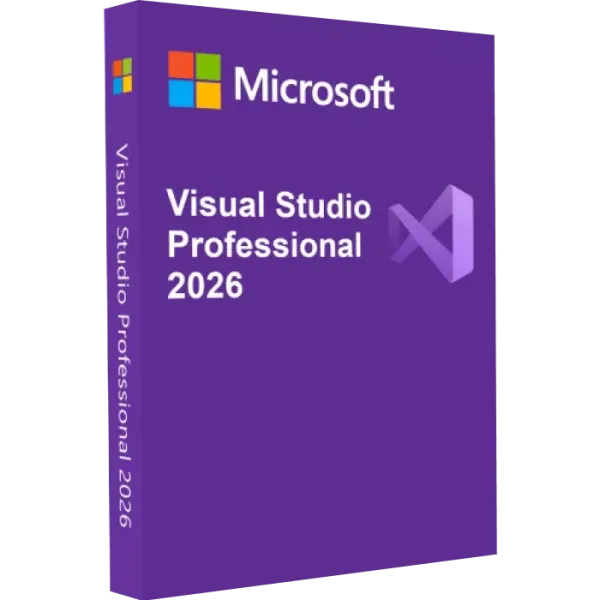
Microsoft® Visual Studio Professional 2026, digital license ESD, Windows
99,00 lei
- Digital license (serial number) for Visual Studio Professional 2026, delivered by email, after payment is confirmed
- For development on Windows (Windows 11 or Windows Server 2019, 2022, 2025); there is no version for Mac
- We issue an invoice to an individual or a company
- Activation from Visual Studio, with the product key received by email
- Free technical support by email or WhatsApp, on request
- Visual Studio 2026: released on November 11, 2025, Microsoft support until November 2027; LTSC 18.11 channel, until November 2028
- Activation key by email within minutes of paying by card (check your Spam folder too)
- 24-month warranty: if activation fails, we send you another key free of charge
- Invoice for every order
- Installation help on WhatsApp: 0799 237 426
What you receive
- Digital license (serial number) for Visual Studio Professional 2026, sent by email after payment is confirmed
- Installation and activation instructions
- The invoice for your order
No stick or physical media is shipped: the license arrives by email, and the installation kit is downloaded free of charge from the Microsoft website. The steps are described in the guide How to install and activate Visual Studio 2026.
About Visual Studio Professional 2026
- Integrated development environment (IDE) for Windows desktop apps, web (ASP.NET), .NET, C++, Python, Node.js, Docker containers and cross-platform apps with .NET MAUI
- Microsoft describes the Professional edition as suited to small teams
- Released by Microsoft on November 11, 2025; Microsoft ships monthly feature updates on the Stable channel
- Works on Windows only; Visual Studio for Mac was retired by Microsoft on August 31, 2024
- GitHub Copilot is an optional component of the installer; its features require a GitHub account with Copilot access
- The interface is available in 14 languages: English, Chinese (Simplified and Traditional), Czech, French, German, Italian, Japanese, Korean, Polish, Portuguese (Brazil), Russian, Spanish and Turkish. Romanian is not included
Professional and Enterprise: what differs
According to Microsoft's edition comparison page, the Professional edition includes, among others, CodeLens, Peek Definition, refactoring, Multi-Targeting, static code analysis, unit testing, Code Coverage, Live Share and .NET MAUI. The features below are only in Visual Studio Enterprise 2026:
- Live Dependency Validation, Architectural Layer Diagrams, Architecture Validation and Code Clone
- IntelliTrace, Code Map Debugger Integration, .NET Memory Dump Analysis, Snapshot Debugger and Time Travel Debugging (Preview)
- Live Unit Testing, IntelliTest and Microsoft Fakes (Unit Test Isolation)
- Embedded Assemblies
- Dependency Graphs and Code Maps: in Professional you can open them in read-only mode only
- Performance and Diagnostics Hub: Tier Interaction Profiling is included in Enterprise only
Microsoft support
Visual Studio 2026 follows Microsoft's Modern policy: it was released on November 11, 2025, and current support runs until November 2027. For the Professional and Enterprise editions there is also the LTSC 18.11 channel (released on November 10, 2026), with support until November 2028. Microsoft requires the product to be kept up to date with updates in order to remain supported.
Minimum system requirements (Microsoft)
- Operating systems (64-bit): Windows 11 (Home, Pro, Pro Education, Pro for Workstations, Enterprise, Education, including ARM64) and Windows Server 2025, 2022 and 2019 (Standard and Datacenter). Windows 10 is not on Microsoft's official list; Windows in S mode and Windows Enterprise LTSC editions are not supported either
- Processor: ARM64 or x64; quad-core or better recommended
- RAM: minimum 4 GB (16 GB recommended for professional solutions)
- Disk space: minimum 2.5 GB, up to 210 GB; typical installations need 20-50 GB; Microsoft recommends an SSD
- Display: minimum 1366 x 768
- Administrator rights for installation
The Microsoft page with the full requirements is linked below. Check them before ordering.
How to install
- Download the official installer from the Microsoft website; the links are in the installation guide.
- Start the installer and choose the components (workloads) you need.
- In Visual Studio, choose File, then Account Settings, then License with a Product Key.
- Enter the product key you received by email.
Frequently asked questions
Does it work on Mac?
No. Visual Studio 2026 is for Windows; Visual Studio for Mac was retired by Microsoft on August 31, 2024.
How do I receive the license?
The digital license (serial number) is sent by email after payment is confirmed.
Can I use the license as a company?
The invoice is issued to an individual or a company. The terms of use are those in the Microsoft license terms.
Can I also have Visual Studio 2022 on the same computer?
Yes. Microsoft states that Visual Studio 2026 can be installed side by side with other versions.
What is the difference between Professional and Enterprise?
Enterprise adds architecture validation, advanced debugging (IntelliTrace, Snapshot Debugger, Time Travel Debugging in Preview) and testing (Live Unit Testing, IntelliTest, Microsoft Fakes) features. The full list is in the section above.
Official sources: Microsoft Learn – Visual Studio 2026 requirements; Microsoft Lifecycle – Visual Studio 2026; Microsoft Learn – support and servicing; Microsoft – Visual Studio edition comparison.
Only logged in customers who have purchased this product may leave a review.
Related products
Microsoft® Windows 11 Home, digital license ESD, 64 bit, All Languages
- Digital license (serial number) for Windows 11 Home, delivered within minutes by email, after payment is confirmed
- It can also be installed in Romanian
- Can be used by companies and individuals; we issue an invoice
- Activation online, with the key received by email
- Free technical support by email or WhatsApp, on request
Microsoft® Windows 10 Pro Retail, digital license ESD, 32/64 bit, All Languages
- Digital license (serial number) for Windows 10 Pro, delivered within minutes by email, after payment is confirmed
- It can also be installed in Romanian
- Can be used by companies and individuals; we issue an invoice
- Activation online, with the key received by email
- Free technical support by email or WhatsApp, on request
- Microsoft ended support for Windows 10 on October 14, 2025
Microsoft® Windows 10 Enterprise, digital license ESD, 32/64 bit
- Digital license (serial number) for Windows 10 Enterprise 22H2, delivered by email, after payment is confirmed
- The installation kit (Windows 10 Enterprise 22H2, in English, 32 and 64-bit, built with the official Media Creation Tool) is on the installation kits page
- Can be used by companies and individuals; we issue an invoice
- Free technical support by email or WhatsApp, on request
- Microsoft ended support for Windows 10 on October 14, 2025
Microsoft® Windows 10 Enterprise LTSC 2021, digital license ESD, 64 bit
- Digital license (serial number) for Windows 10 Enterprise LTSC 2021, delivered by email, after payment is confirmed
- The installation kit (Windows 10 Enterprise LTSC 2021, 64-bit, in English) is on the installation kits page
- Can be used by companies and individuals; we issue an invoice
- Free technical support by email or WhatsApp, on request
- According to Microsoft, support for LTSC 2021 lasts until January 12, 2027
Microsoft® Windows 8.1 Pro, digital license ESD, 64 bit
- Digital license (serial number) for Windows 8.1 Pro, delivered by email, after payment is confirmed
- The installation kit (the Microsoft Windows 8.1 image, in English, 64-bit; the Pro edition is installed based on the key you enter) is on the installation kits page
- Can be used by companies and individuals; we issue an invoice
- Free technical support by email or WhatsApp, on request
- Microsoft ended support for Windows 8.1 on January 10, 2023
Microsoft® Windows 7 Professional, digital license ESD, 32/64 bit
- Digital license (serial number) for Windows 7 Professional, delivered by email, after payment is confirmed
- The official installation kit (Windows 7 Professional with Service Pack 1, 64-bit, in English) is on the installation kits page
- Can be used by companies and individuals; we issue an invoice
- Free technical support by email or WhatsApp, on request
- Microsoft ended support for Windows 7 on January 14, 2020
Microsoft® Visio Professional 2024, digital license ESD, perpetual license, 1 PC, Windows
- Digital license (serial number) for Visio Professional 2024, delivered within minutes by email, after payment is confirmed
- For devices running Windows; does not run on Mac
- Can be used by companies and individuals
- One-time purchase, no subscription
- We issue an invoice to an individual or a company
- Free technical support by email or WhatsApp, on request
- Microsoft support until October 9, 2029

Microsoft® Visual Studio Professional 2022, digital license ESD, Windows
- Digital license (serial number) for Visual Studio Professional 2022, delivered within minutes by email, after payment is confirmed
- For development on Windows; it does not work on Mac
- Can be used by companies and individuals; we issue an invoice
- Activation online, with the key received by email
- Free technical support by email or WhatsApp, on request
- Visual Studio 2022: Mainstream until January 2027, Extended Support until January 2032
Reviews
There are no reviews yet.